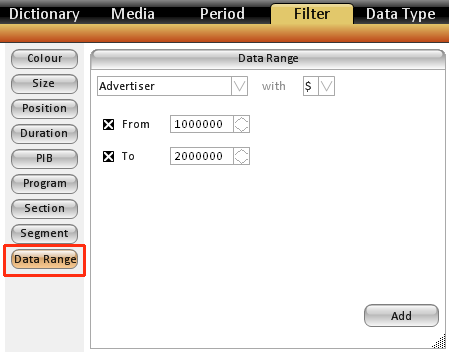
The Data Range button in the Filter tab relates to the Dictionary section of the database. It allows you to filter down the items that will be seen in Dictionary by Spend or Incidence
For example - you could run a report where you only want to look at advertiser's that have spent over $10 million - or products with spend between $1 million to $2 million. Or individual spots that spent $25,000 or more.
How to set up a Data Range Filter
- Select the level of dictionary or Spot you are looking to filter
- Select if you are filtering on Spend ($) or incidence (#)
- Check on the From &/or To boxes
- Fill out the amount beside From &/or To.
- Hit Add - this will list it in the selected pane.